
Install on Mac
Drag the app to Applications, then paste one line in Terminal. The line is needed because the app isn't signed by Apple yet.
- About 3 minutes
- macOS 12 Monterey or newer
-
Download the file for your Mac
Not sure which Mac you have? Open the Apple menu › About This Mac. “Chip Apple M…” means Apple silicon, “Processor … Intel” means Intel.
Version 0.1.0-alpha.37
-
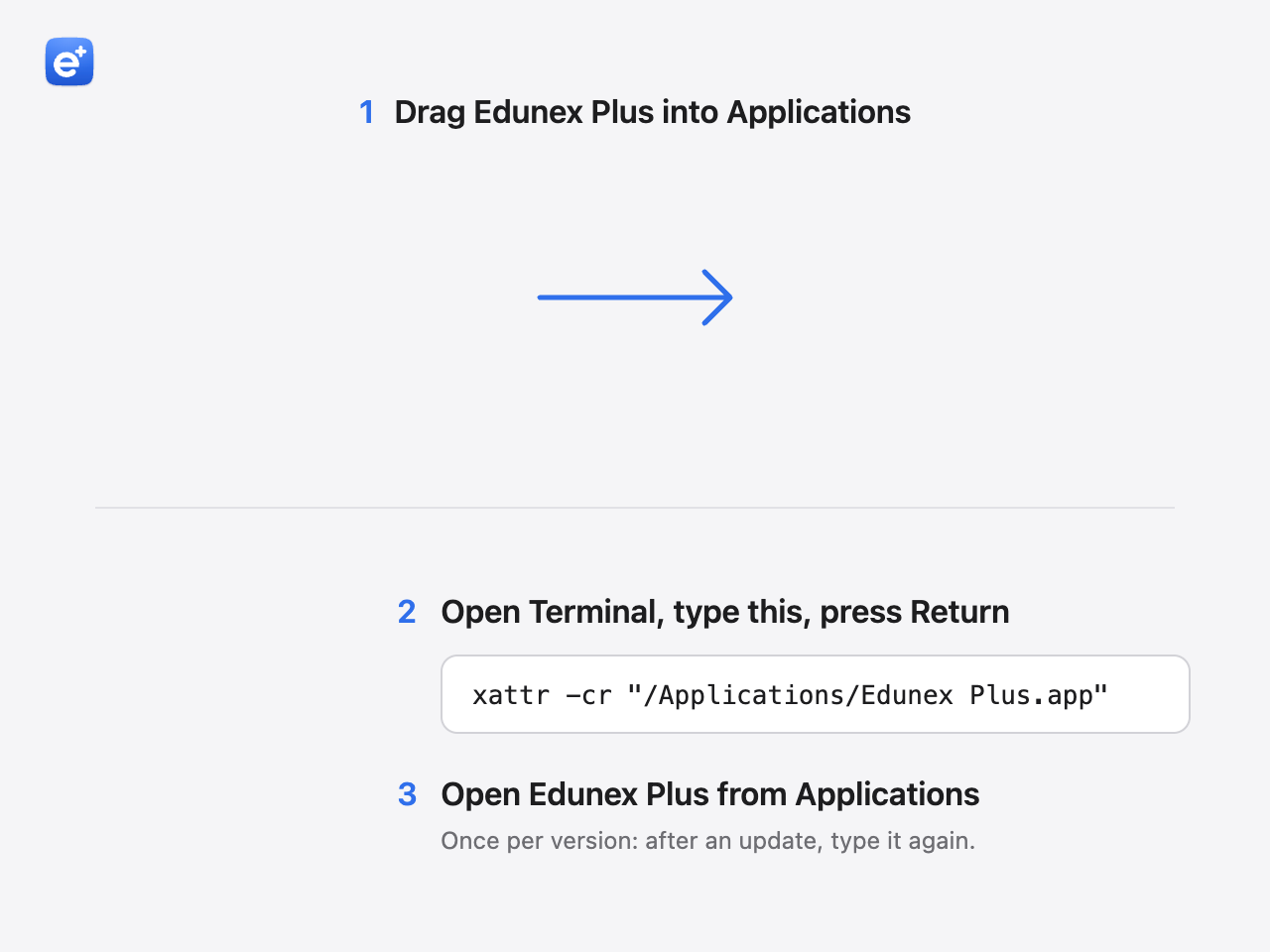
Drag Edunex Plus to Applications
Open the .dmg you downloaded. In the window that opens, drag Edunex Plus onto the Applications folder.
-
Paste one line in Terminal
In the same window, double-click Terminal. Paste this line and press Return. Nothing is printed when it works.
The line removes the “downloaded from the internet” mark that makes macOS block the app, for Edunex Plus only.
xattr -cr "/Applications/Edunex Plus.app"Rather not use Terminal?
Open Edunex Plus once and click Done when macOS says it can't check it. Open System Settings › Privacy & Security, scroll down, and click Open Anyway. The button only shows for a while after you try to open the app.
-
Sign in with your ITB account
Open Edunex Plus, click Get started, then connect Edunex. ITB's Microsoft page opens, the same one you see when you sign in to Edunex.
Just once. Edunex and SIX both connect from that one sign-in, and your password never reaches Edunex Plus.

Pictures are drawings. Your device may look a little different.
If something goes wrong
macOS says the app is “damaged” or can't be opened
The Terminal line in step 3 hasn't run yet, or the app isn't in Applications. Move it there first, then run the line again.
There's no “Open Anyway” button
It only shows for a while after you try to open the app. Open Edunex Plus once more, then look in System Settings.