Edunex and SIX, in one calm window.
A free desktop app for ITB students. It reads both and tells you what needs you today, what changed, and where you stand.
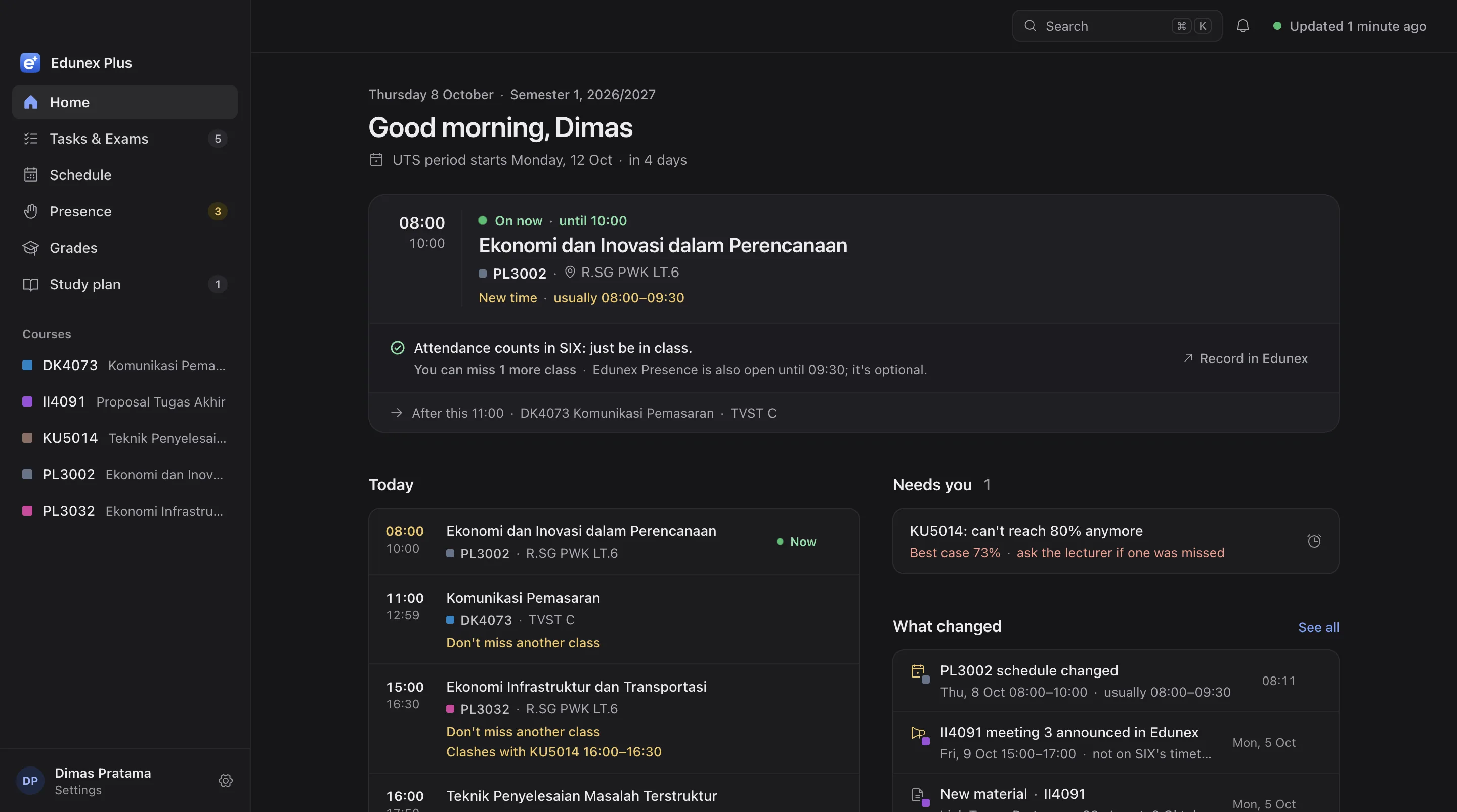
Four places to check. One app that reads them.
Sign in once with your INA account. The app reads Edunex and SIX with your own sign-in, plus ITB's public calendar and course catalog.
Tasks, materials, exams and when Presence opens
Timetable and rooms, attendance count, grades, KRS and bills
UTS and UAS weeks, KRS dates, holidays
Your curriculum and the SKS left to graduate
The places you already know, with the answer on top.
Same names as Edunex and SIX, so there's nothing to learn. Each screen answers one question first, and the details come after.
The class on now and where it is, today's classes, and anything urgent from both systems.
Every Task and exam with its real status. Save a draft or submit right from the app.
Your attendance count per course and how many classes you can still miss.
Your week with rooms, plus the meetings lecturers only announce on Edunex.
Your IPK, and what it'd be at graduation with the grades you expect.
Your KRS, UKT bills and ITB's academic deadlines in one place.
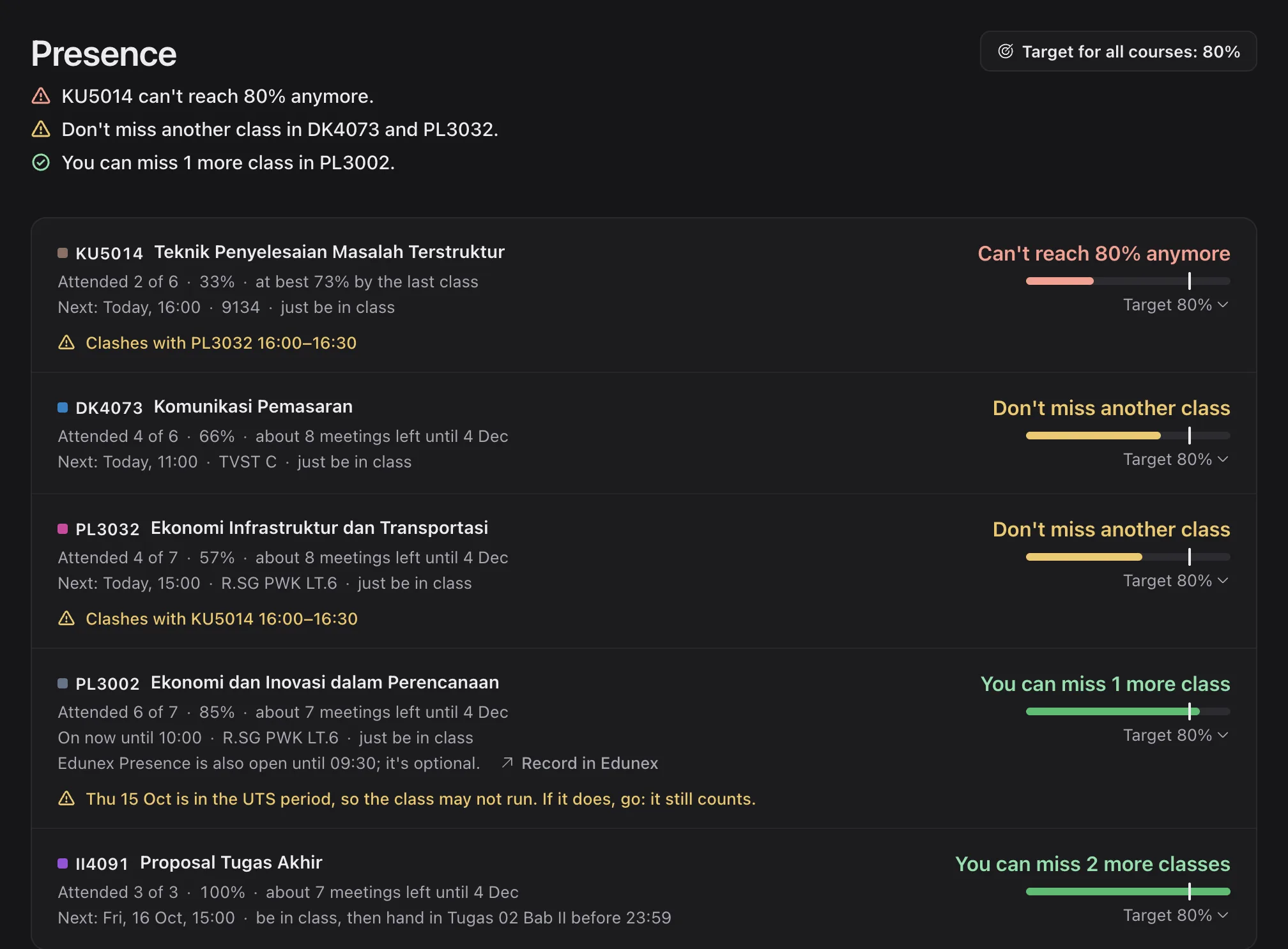
Know how many classes you can still miss.
SIX says "Hadir 4 dari 6". Edunex Plus tells you what that means for your target, before it's too late to fix.
- Says if attendance counts in SIX or Edunex
- Your own target, for all courses or just one
- Warns you when two classes clash
- Tells you the same day if SIX marked you absent
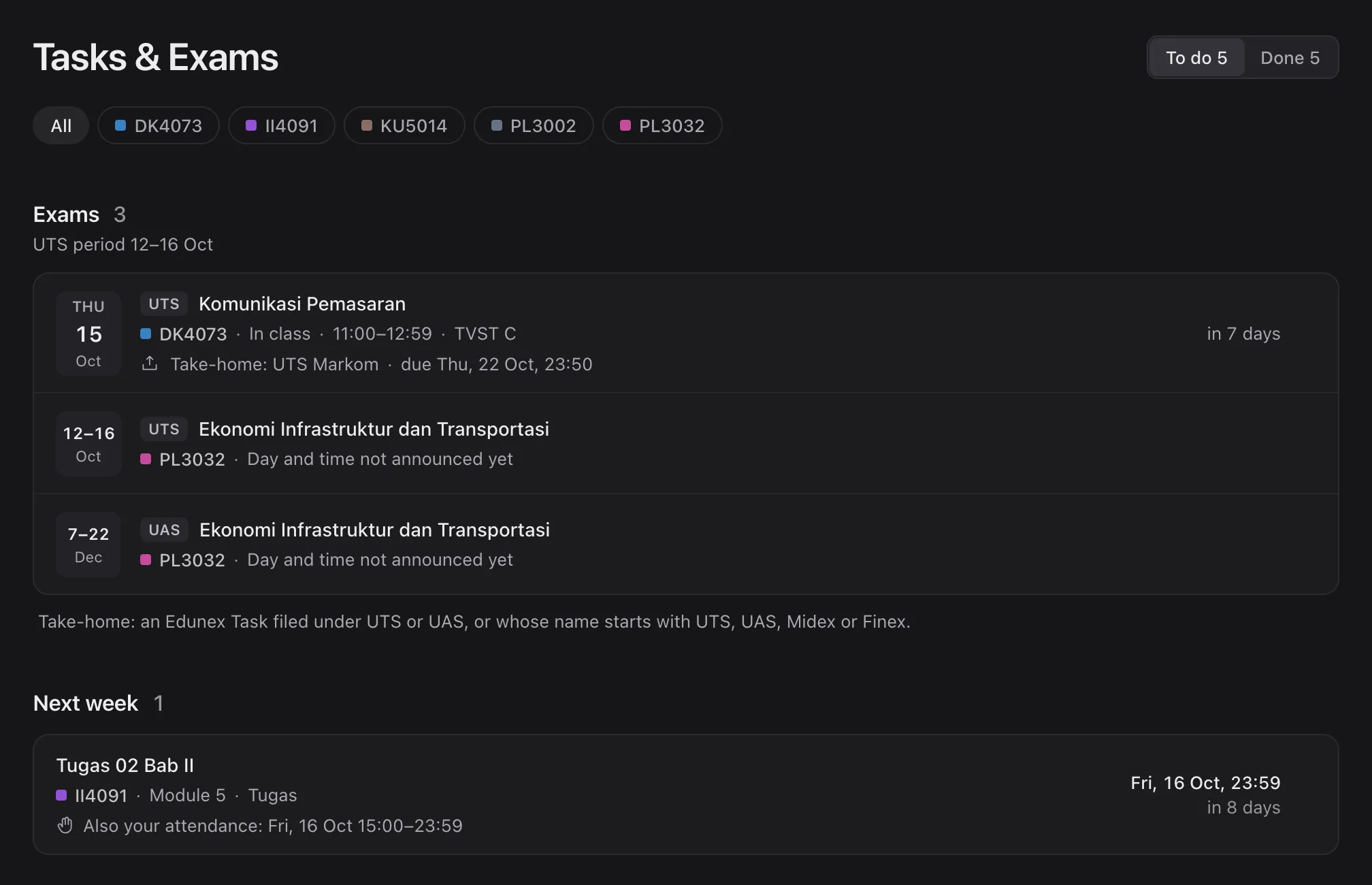
Every deadline, with its real status.
Not started, draft, submitted or late, across all your courses. Take-home UTS and UAS sit with the exams, so none hides in a module.
- Save a draft or submit, and get a clear receipt
- Shows when a Task also counts as attendance
- Word, PowerPoint and PDF materials open in the app
 Edunex Plus09:12
New Task · DK4073
Kuis Kilat Bab 5
Edunex Plus12:00
Due in 3 hours · PL3002
Tugas 03 · still a draft, not submitted yet
Edunex Plusnow
Presence open · II4091
Hand in Tugas 02 Bab II · closes 23:59
Edunex Plus09:12
New Task · DK4073
Kuis Kilat Bab 5
Edunex Plus12:00
Due in 3 hours · PL3002
Tugas 03 · still a draft, not submitted yet
Edunex Plusnow
Presence open · II4091
Hand in Tugas 02 Bab II · closes 23:59
Hear about it while there's still time.
New Tasks and materials, deadlines coming up, Presence opening, KRS changes and bills. Close the window and the app keeps watching from the menu bar or tray.
- Says the one thing to do, not just that something changed
- Phone alerts that can wait hold until morning
- "Remind me later" for anything that isn't for now
Three steps, about two minutes.
Free for every ITB student, on macOS, Windows and Linux.
-
1
Download the file for your computer
From the newest release, under Assets.
Mac (Apple silicon or Intel)Windows 10 or 11Ubuntu, Debian, other Linux -
2
Open it
The app isn't signed yet, so macOS and Windows warn you the first time. The install guide shows the one step past that.
-
3
Sign in with your INA account
Once, on ITB's real Microsoft page. Edunex and SIX both connect from that one sign-in.
Your data stays on your computer.
- Your password never reaches the app. Only Microsoft sees it.
- Locked in your keychain. What it reads is saved only on this computer.
- No analytics, no tracking. "Sign out & remove data" in Settings deletes everything it saved.
Stop checking two sites.
Download it, sign in once, and see what needs you today. Free for every ITB student.
Supported by Ganesa Space